Step 3 — Run your first query
With an active connection, you've got two paths:
Quick: list layouts and pick a record
Run FileMaker: List Layouts to see every layout exposed via the Data API. Right-click a layout in the sidebar to get common actions: Open Query Builder, Get Record by ID, Open Layout Metadata, Generate Types for Layout, Batch Export (Find). The two icons on a layout row open the Query Builder and create a new record.
Powerful: the Query Builder
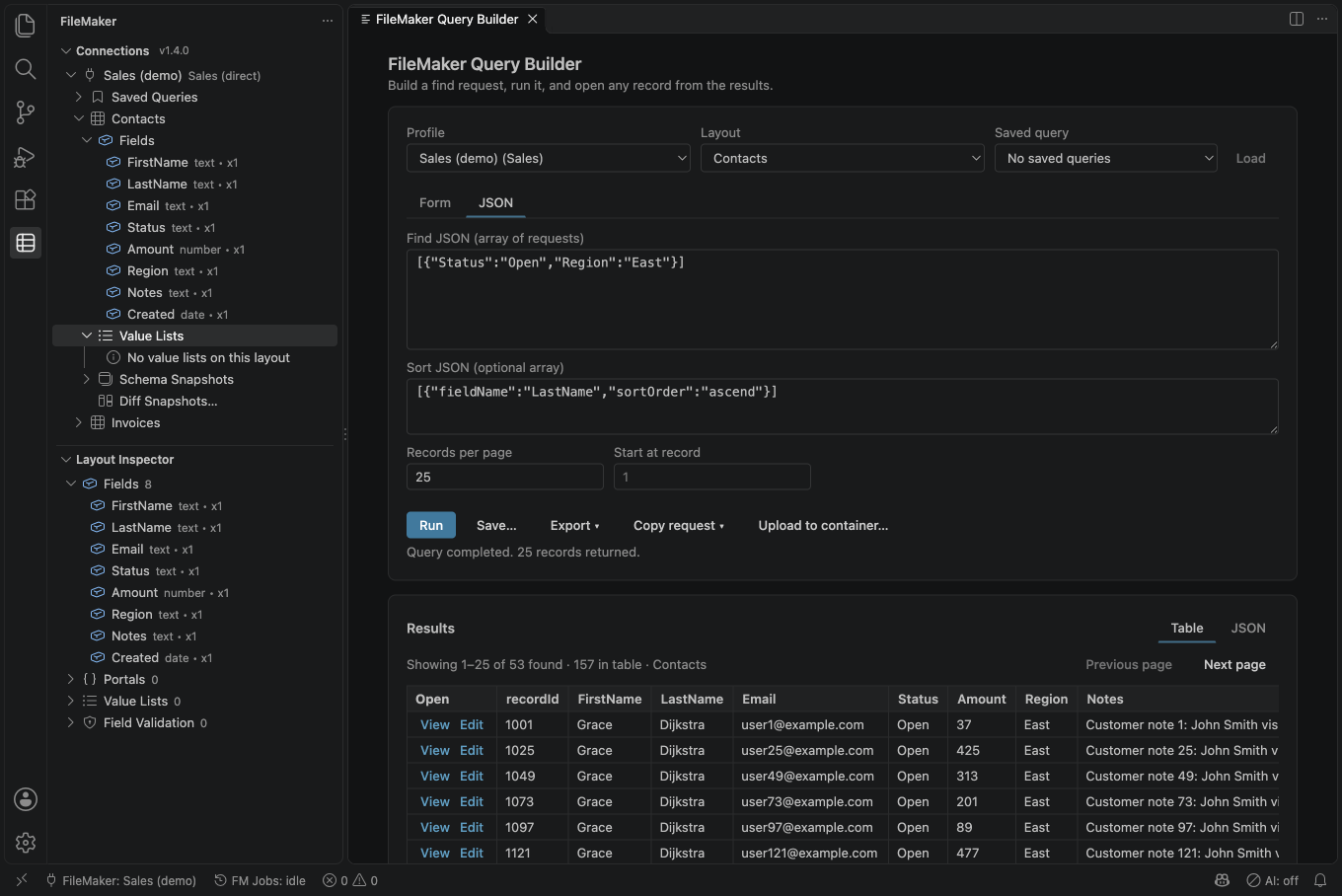
Run FileMaker: Open Query Builder, or right-click a layout and choose
Open Query Builder. To give it a shortcut, search for it in
Keyboard Shortcuts (Ctrl/Cmd+K Ctrl/Cmd+S). The Query Builder lets you:
- pick a profile and layout from dropdowns
- build the find with a form: choose a field (the layout's field names autocomplete), a condition such as equals (whole field), contains phrase, or between, and a value. Add more requests to OR them together, or tick Omit to exclude matches. The JSON tab shows the same request as raw Data API JSON.
- run it with Run or
Ctrl/Cmd+Enter - page through results, sort the current page by any column, and double-click a row (or use View / Edit) to open that record
- save the query for re-use, and export the results as CSV or JSON, or copy them as a table that pastes into a spreadsheet
- copy the request as
curl,fetch(), a.httpfile, a Postman collection or TypeScript for sharing or bug reports (the password and session token are never copied)
An empty search offers List records instead on a direct connection. It uses the selected layout, page size, starting record and sort only after you choose it. A proxy connection needs a search value. CSV exports can include record versions for safer batch updates; keep those columns unchanged. CSV for Excel is available in the export choices.
Saved queries are scoped per workspace by default. Use
FileMaker: Export Saved Queries (JSON) to share them with your team
via Git or chat, or change filemaker.savedQueries.scope to global to
make them follow you between workspaces.
The full command list is in the Command Palette under the FileMaker category.