Step 4 — Inspect a layout
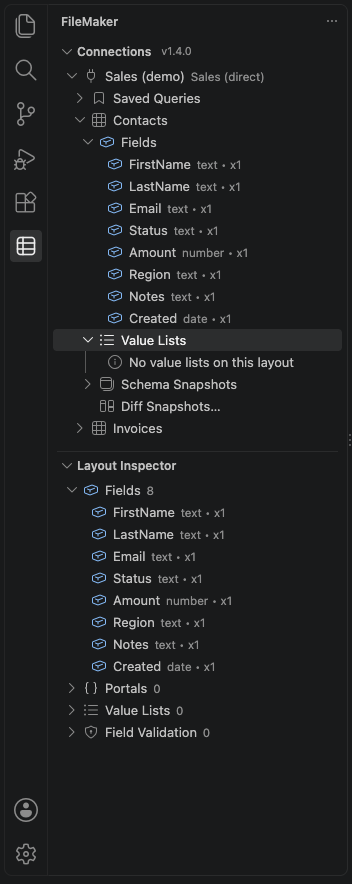
Open the Layout Inspector in the FileMaker sidebar, or run FileMaker: Select Layout for Inspector from the Command Palette. It shows the selected layout's:
- Fields, with their types
- Portals, and the fields inside each one
- Value lists and how many items each holds
- Field validation rules
Right-click a layout in the Connections view for more:
- Open Layout Metadata shows the raw Data API metadata as JSON.
- Capture Schema Snapshot saves the layout's current shape.
- Diff Against Latest Snapshot shows what changed since that snapshot, which helps catch a renamed or deleted field before it breaks your integration.